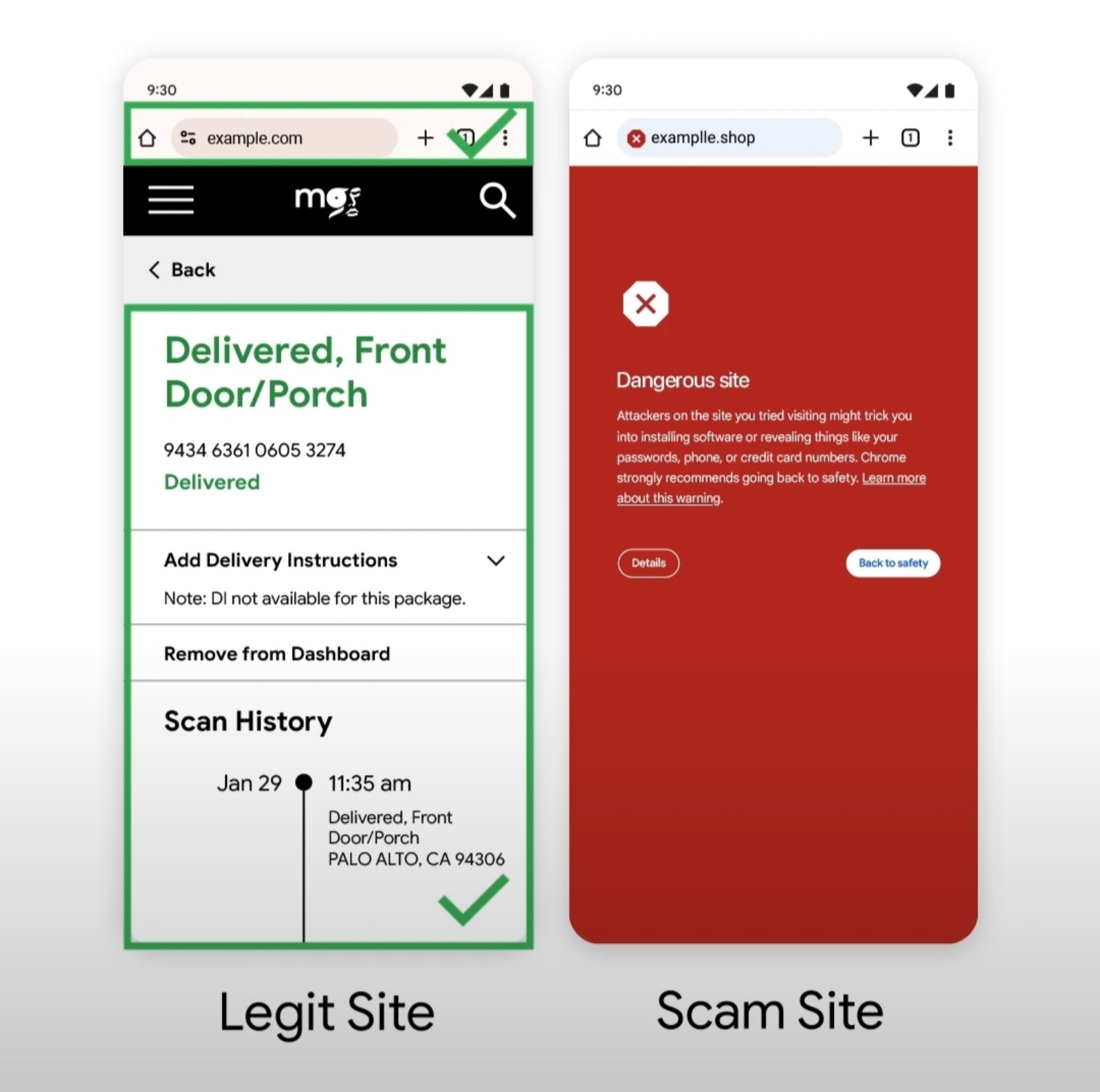
One wrong click could expose your passwords, personal information, or financial details to scammers. But Google Chrome has a built-in security feature that can warn users before they proceed to potentially dangerous websites.
Through its Safe Browsing feature, Chrome helps protect internet users from phishing attempts, malicious websites, harmful downloads, and other online threats.
As online scams become increasingly sophisticated, cybercriminals continue to create fraudulent websites that closely resemble legitimate banking portals, online shopping platforms, delivery services, and government websites.
These pages may appear convincing, making it difficult for users to distinguish authentic websites from those designed to steal sensitive information.
How Google Chrome detects dangerous links
Google Chrome's Safe Browsing technology checks websites for potential security threats and warns users when they attempt to visit pages identified as dangerous.
When Chrome detects a potentially harmful website, it may display a red warning screen indicating that attackers could attempt to trick users into installing malicious software or revealing sensitive information.
Users are then given the option to return to safety rather than proceed to the suspicious website.
For example, scammers may create fraudulent delivery-tracking pages that imitate official courier websites.
These fake pages may claim that a package could not be delivered because of an incorrect address and instruct recipients to update their information through a link.
Although the fraudulent website may closely resemble a legitimate delivery service, Chrome can display a warning if the website has been identified as dangerous.
The protection also applies to other online threats, including fake shopping websites, phishing pages impersonating financial institutions, and websites distributing malware.
How to strengthen Chrome's protection
Google Chrome offers two main levels of Safe Browsing security: Standard Protection and Enhanced Protection.
Standard Protection helps identify websites, downloads, and extensions already known to be dangerous.
Enhanced Protection, meanwhile, offers real-time, AI-powered security checks that can help identify emerging threats.
To activate Enhanced Protection on an Android device, users can follow these steps:
Open the Google Chrome application.
Tap the three-dot menu and select Settings.
Go to Privacy and security.
Select Safe Browsing.
Choose Enhanced protection.
Once enabled, Chrome performs additional security checks while users browse the internet.
The browser also includes other security features, such as warnings about compromised passwords, insecure website connections, and potentially harmful downloads.
Enhanced Protection involves sending additional browsing security information to Google to help identify threats.
While Google Chrome's Safe Browsing feature can help identify dangerous websites, it cannot guarantee that every malicious link will be detected.
Users are therefore encouraged to keep Chrome updated, enable security protections, and avoid proceeding when the browser displays a dangerous-site warning.